Search



WORLDWIDE SHIPPING
fast, flexible, secure options

ONLINE SUPPORT 24 / 7
anytime, anywhere help

MONEY BACK GUARANTEE
shop with confidence

WIDE SELECTION
every day low prices
Cell Phones, Tablet PCs & Smartwear
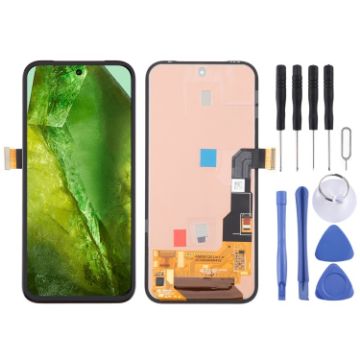
For Google Pixel 8A GKV4X G6GPR G8HHN Original OLED LCD Screen with Digitizer Full Assembly
- Before Installation Notes
- Tips 1: Test before installation
- When testing, do not remove any protective film or tags. Please pay attention to the problem of static electricity.
- Before attempting any repair, be sure to ground yourself is an ESD (electro static discharge) strap. This will prevent static electricity from damaging the electronic components within the phone.
- Ensure you wear eye protection and use caution not to cut your finger with the glass splinters.
- Tips 2: Simulates testing
- Screen replacement is very fragile product. We strongly suggest test before installation. Please simulates testing, which means mobile phone apart, (motherboard + LCD or screen) connected audio cable and new replacement, power on, test finished. If test OK, please install it. If it can not show, please contact us at the very first time. And please do not force it to be installed in mobile phone. We will not be responsible once the screen is installed.
- Tips 3: Do not over-bend cable
C$140.71 C$163.23
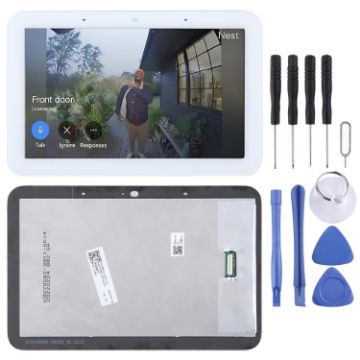
For Google Nest HUB Gen2 Original LCD Screen with Digitizer Full Assembly
- Before Installation Notes
- Tips 1: Test before installation
- When testing, do not remove any protective film or tags. Please pay attention to the problem of static electricity.
- Before attempting any repair, be sure to ground yourself is an ESD (electro static discharge) strap. This will prevent static electricity from damaging the electronic components within the device.
- Ensure you wear eye protection and use caution not to cut your finger with the glass splinters.
- Tips 2: Simulates testing
- Screen replacement is very fragile product. We strongly suggest test before installation. Please simulates testing, which means device apart, (motherboard + LCD or screen) connected audio cable and new replacement, power on, test finished. If test OK, please install it. If it can not show, please contact us at the very first time. And please do not force it to be installed in device. We will not be responsible once the screen is installed.
- Tips 3: Do not over-bend cable
C$42.79 C$51.78
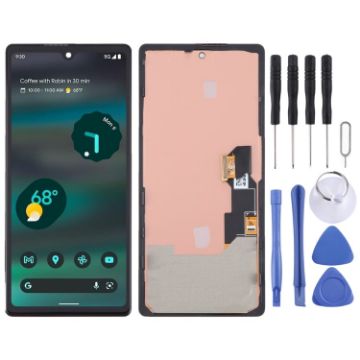
For Google pixel 6A OLED LCD Screen Digitizer Full Assembly with Frame
- Before Installation Notes
- Tips 1: Test before installation
- When testing, do not remove any protective film or tags. Please pay attention to the problem of static electricity.
- Before attempting any repair, be sure to ground yourself is an ESD (electro static discharge) strap. This will prevent static electricity from damaging the electronic components within the phone.
- Ensure you wear eye protection and use caution not to cut your finger with the glass splinters.
- Tips 2: Simulates testing
- Screen replacement is very fragile product. We strongly suggest test before installation. Please simulates testing, which means mobile phone apart, (motherboard + LCD or screen) connected audio cable and new replacement, power on, test finished. If test OK, please install it. If it can not show, please contact us at the very first time. And please do not force it to be installed in mobile phone. We will not be responsible once the screen is installed.
- Tips 3: Do not over-bend cable
C$69.19 C$80.96
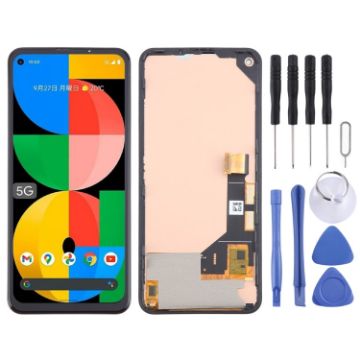
For Google Pixel 5a 5G G1F8F G4S1M TFT LCD Screen with Digitizer Full Assembly, Not Supporting Fingerprint Identification (Black)
- Before Installation Notes
- Tips 1: Test before installation
- When testing, do not remove any protective film or tags. Please pay attention to the problem of static electricity.
- Before attempting any repair, be sure to ground yourself is an ESD (electro static discharge) strap. This will prevent static electricity from damaging the electronic components within the phone.
- Ensure you wear eye protection and use caution not to cut your finger with the glass splinters.
- Tips 2: Simulates testing
- Screen replacement is very fragile product. We strongly suggest test before installation. Please simulates testing, which means mobile phone apart, (motherboard + LCD or screen) connected audio cable and new replacement, power on, test finished. If test OK, please install it. If it can not show, please contact us at the very first time. And please do not force it to be installed in mobile phone. We will not be responsible once the screen is installed.
- Tips 3: Do not over-bend cable
C$38.71 C$44.91
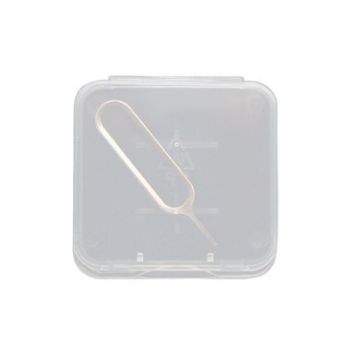
Cell Phone SIM Card Removal Pin Memory Card Holder With Storage Case, Specification: White Box+Card Pin
- Storage box material: PP
- Remove the card needle is strong and durable, not easily broken
- Mini size, easy to carry
- Thick material, smooth opening and closing, not easy to be damaged
- The organizer is designed with a lid, dustproof and easy to store
- Size: 36 x 4mm
- Weight: 0.33g for the pin, 1.7g for the organizer box
C$9.67 C$12.09
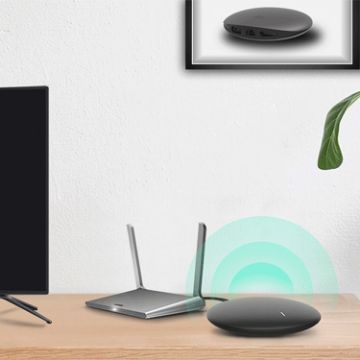
IKOS W3600-4G 3 SIM 3 Standby Roaming-free Aboard WiFi Router for iOS/Android Phone
- Feature
- 3 SIM cards for 1 phone. If you have more than 1 SIM card, but you like use phone, how can we do? This product can let you have max 3 SIM online at the same time with your phone.
- Saving money for travelling abroad and business trips, you only need to put your SIM card at home and then you can still make or answer the calls there will be no roaming charges.
- Simple and compact, the device easy to set up and size is only 118x113x19mm.
- Stable signal connected through WiFi, the signal is much more stable by connecting through Bluetooth.
- Network band:
- LTE FDD: B1/B3/B5/B8
- LTE TDD:B38/B39/B40/B41
C$165.99 C$192.56
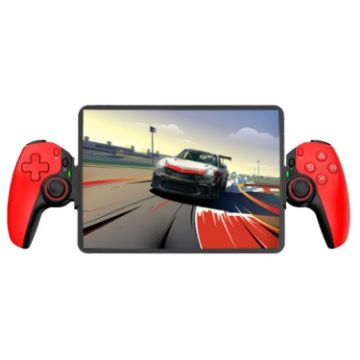
D9 Wireless Phone Stretching Game Controller For Switch/PS3/PS4 (Red)
- D9 supports for PC / Android / IOS / Tablet / PS3 / PS4 / Switch.
- Hall trigger, Hall rocker: zero drift, zero dead zone, high smoothness, high damage resistance capacity, wear-resistant ring.
- Dual motor vibration, M1, M2 2 custom back keys.
- Conductive silicone ABXY, cross keys, anti-slip dotted grip.
- Six-axis gyroscope, one-click burst function.
- Supports streaming of popular games on PC, Xbox, and PS consoles.
- High-precision 5.2 gaming Bluetooth chip with powerful internal "core".
- Stretchable, supports mobile phones, tablets, and Switch devices, and supports stretching to a length of 130~280mm.
C$67.49 C$82.34
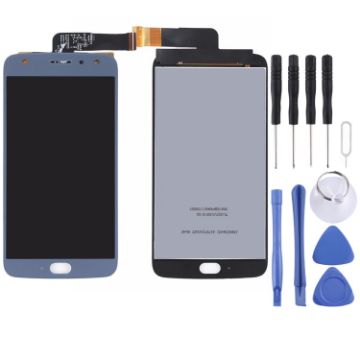
TFT LCD Screen for Motorola Moto X4 with Digitizer Full Assembly (Blue)
- Replacement LCD screen + touch screen digitizer assembly for Motorola Moto X4
- Replace your broken or unusable item with a new one
- Make your device look more refreshing than ever
- Completely fit and work
- Each item has been checked and in good condition before shipping
- Professional installation is highly recommended. We will not be responsible once the screen is installed.
- Before Installation Notes
- Tips 1: Test before installation
C$22.17 C$27.50
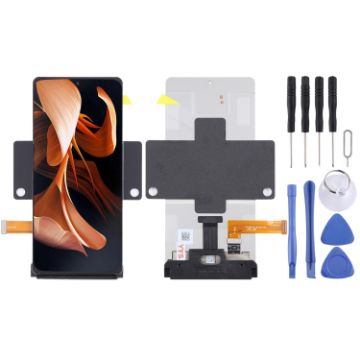
LCD Screen For Motorola Razr 2022 With Digitizer Full Assem
- Before Installation Notes
- Tips 1: Test before installation
- When testing, do not remove any protective film or tags. Please pay attention to the problem of static electricity.
- Before attempting any repair, be sure to ground yourself is an ESD (electro static discharge) strap. This will prevent static electricity from damaging the electronic components within the device.
- Ensure you wear eye protection and use caution not to cut your finger with the glass splinters.
- Tips 2: Simulates testing
- Screen replacement is very fragile product. We strongly suggest test before installation. Please simulates testing, which means device apart, (motherboard + LCD or screen) connected audio cable and new replacement, power on, test finished. If test OK, please install it. If it can not show, please contact us at the very first time. And please do not force it to be installed in device. We will not be responsible once the screen is installed.
- Tips 3: Do not over-bend cable
C$327.93 C$377.11
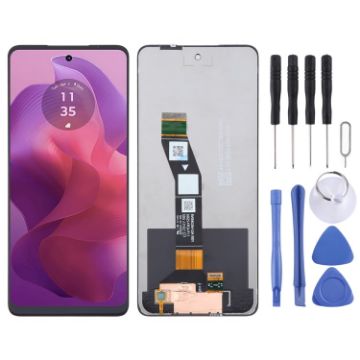
For Motorola Moto G24 OEM LCD Screen with Digitizer Full Assembly
- Before Installation Notes
- Tips 1: Test before installation
- When testing, do not remove any protective film or tags. Please pay attention to the problem of static electricity.
- Before attempting any repair, be sure to ground yourself is an ESD (electro static discharge) strap. This will prevent static electricity from damaging the electronic components within the phone.
- Ensure you wear eye protection and use caution not to cut your finger with the glass splinters.
- Tips 2: Simulates testing
- Screen replacement is very fragile product. We strongly suggest test before installation. Please simulates testing, which means mobile phone apart, (motherboard + LCD or screen) connected audio cable and new replacement, power on, test finished. If test OK, please install it. If it can not show, please contact us at the very first time. And please do not force it to be installed in mobile phone. We will not be responsible once the screen is installed.
- Tips 3: Do not over-bend cable
C$19.73 C$24.27
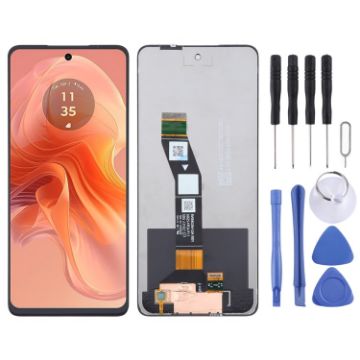
For Motorola Moto G04 OEM LCD Screen with Digitizer Full Assembly
- Before Installation Notes
- Tips 1: Test before installation
- When testing, do not remove any protective film or tags. Please pay attention to the problem of static electricity.
- Before attempting any repair, be sure to ground yourself is an ESD (electro static discharge) strap. This will prevent static electricity from damaging the electronic components within the phone.
- Ensure you wear eye protection and use caution not to cut your finger with the glass splinters.
- Tips 2: Simulates testing
- Screen replacement is very fragile product. We strongly suggest test before installation. Please simulates testing, which means mobile phone apart, (motherboard + LCD or screen) connected audio cable and new replacement, power on, test finished. If test OK, please install it. If it can not show, please contact us at the very first time. And please do not force it to be installed in mobile phone. We will not be responsible once the screen is installed.
- Tips 3: Do not over-bend cable
C$19.73 C$24.06
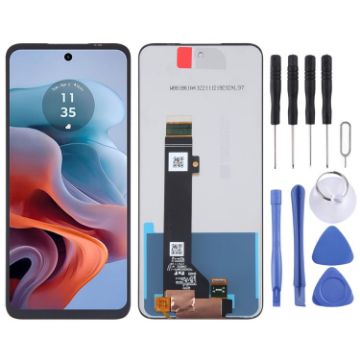
For Motorola Moto G34 OEM LCD Screen with Digitizer Full Assembly
- Before Installation Notes
- Tips 1: Test before installation
- When testing, do not remove any protective film or tags. Please pay attention to the problem of static electricity.
- Before attempting any repair, be sure to ground yourself is an ESD (electro static discharge) strap. This will prevent static electricity from damaging the electronic components within the phone.
- Ensure you wear eye protection and use caution not to cut your finger with the glass splinters.
- Tips 2: Simulates testing
- Screen replacement is very fragile product. We strongly suggest test before installation. Please simulates testing, which means mobile phone apart, (motherboard + LCD or screen) connected audio cable and new replacement, power on, test finished. If test OK, please install it. If it can not show, please contact us at the very first time. And please do not force it to be installed in mobile phone. We will not be responsible once the screen is installed.
- Tips 3: Do not over-bend cable
C$19.73 C$23.28

NEED HELP?
Payment options
