Search



WORLDWIDE SHIPPING
fast, flexible, secure options

ONLINE SUPPORT 24 / 7
anytime, anywhere help

MONEY BACK GUARANTEE
shop with confidence

WIDE SELECTION
every day low prices
Cell Phones, Tablet PCs & Smartwear
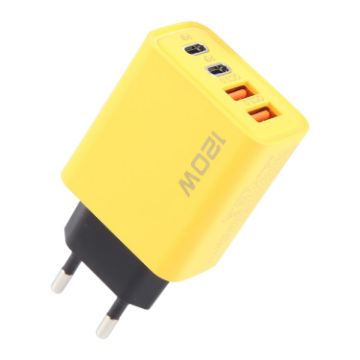
KO-71 120W Dual PD Type-C + Dual QC3.0 USB Multi Ports Charger, Plug:EU Plug (Yellow)
- Material: Flame retardant PC
- Input: AC100-240V, 50/60Hz, 0.5A
- Output:
- USB-C: 5V/3A, 9V/2.25A, 12V/1.5A
- USB-A: 3.6V-6.5V/3A, 6.5V-9V/2A, 9-12V/1.5A
- USB-C+USB-A: 5V/3.4A 120W Max
- 4-ports charger, it can charge multiple devices simultaneously
- Smart chip, harmless to battery, prevents overheating
C$12.16 C$14.84
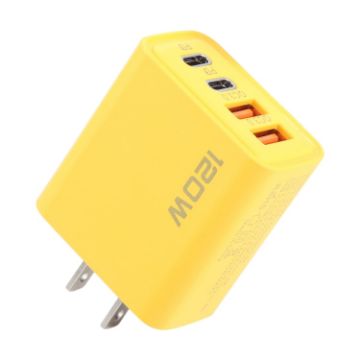
KO-71 120W Dual PD Type-C + Dual QC3.0 USB Multi Ports Charger, Plug:US Plug (Yellow)
- Material: Flame retardant PC
- Input: AC100-240V, 50/60Hz, 0.5A
- Output:
- USB-C: 5V/3A, 9V/2.25A, 12V/1.5A
- USB-A: 3.6V-6.5V/3A, 6.5V-9V/2A, 9-12V/1.5A
- USB-C+USB-A: 5V/3.4A 120W Max
- 4-ports charger, it can charge multiple devices simultaneously
- Smart chip, harmless to battery, prevents overheating
C$12.16 C$14.59
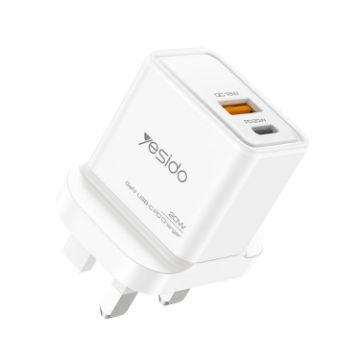
Yesido YC80 PD20W Dual Port Type-C GaN Charger, UK Plug
- Input: AC100-240V-50/60Hz 0.5A Max
- Type-C output: DC5V-3A,9V--2.22A,12V-1.5A 20W Max
- USB-A Output: DC5V-3A ,9V=2A,12V-1.5A 18W Max
- Smart chip, harmless to battery, prevents overheating
- GaN material, small size, high efficiency
- PD20W strong power output, fast charging for both mobile phones and tablets
- Compatible with various fast charging protocols and intelligent temperature control technology, maintaining charging at low temperatures
C$15.86 C$19.35
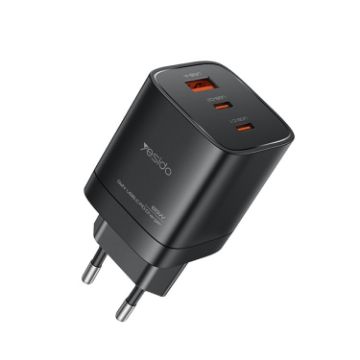
Yesido YC65 PD65W Three Port Type-C GaN Charger, EU Plug
- Input: AC100-240V-50/60Hz 1.5A Max
- Type-C output: DC 5V/3A,9V/3A,15/V3A,20V/3.25A
- USB-A Output: DC5V/4.5A,9V-3A,12V-2.5A,2OV.1.5AC1+C2:45W+20W 65W Max
- Smart chip, harmless to battery, prevents overheating
- GaN material, small size, high efficiency
- PD65W strong power output, fast charging for both mobile phones and tablets
- Compatible with various fast charging protocols and intelligent temperature control technology, maintaining charging at low temperatures
C$30.54 C$37.26
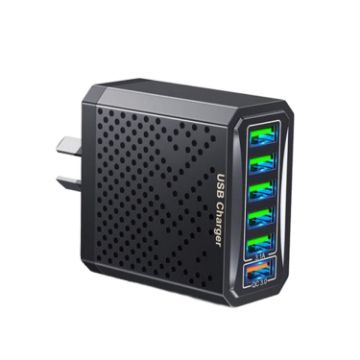
6-Ports Multifunctional Quick Charging USB Travel Charger Power Adapter, Model: Black AU Plug
- Made of high-quality fire-retardant materials, environmentally friendly and safe
- 6 USB ports, can charge multiple devices at the same time
- Multiple protections, safe and secure
- Built-in smart chip, low temperature transmission, protect charger and battery
- Material: PC
- Input: AZ-100-240V 50/60HZ 0.5A
- Output:
- QC3.0: 5V=3.0A 9V=2.0A 12V=1.5A
C$12.48 C$14.48
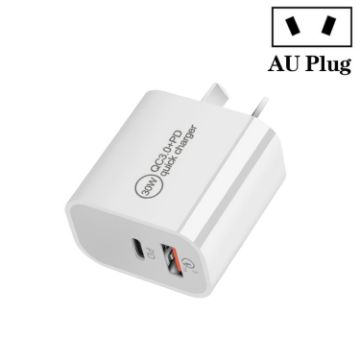
PD30W USB-C/Type-C + QC3.0 USB Dual Port Charger, AU Plug
- Input parameters: AC100-240V, 50-60Hz, 0.8A
- Total power: 30W
- USB-C output: DC5V/3A, DC9V/3A, DC12V/2.5A, DC15V/2A, 20V/1.5A, 30W max
- QC3.0 USB output: DC5V/3A, DC9V/2A, DC12V/1.5A, 18W max
- Supports fast charging protocol: Supports PD3.0 30W and QC3.0 18W protocols.
- Shunt design: When charging with a single interface, it is fast charging. And when charging with two interfaces simultaneously, it will split.
- Support: suitable for iPhones and iPads fast charging, as well as intelligent fast charging of other phones and tablets such as Huawei, Samsung, Xiaomi and OPPO.
C$15.00 C$18.45
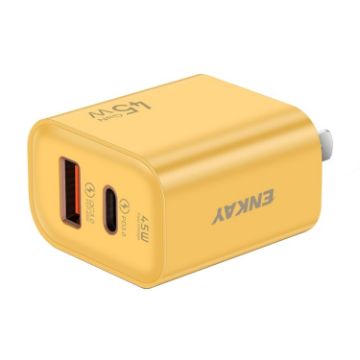
ENKAY FC-001 45W USB-A + USB-C/Type-C Dual Ports Quick Charger, US Plug (Yellow)
- Output:
- USB-C: 5V3A, 9V3A, 12V3.75A
- USB-A: 5V3A, 9V3A, 10V4.5A, 11V4.1A, 12V3.75A, 20V2.25A
- USB-C&USB-A Toal: 20V2.25A 45W(Max)
- 100-240V wide voltage, perfect for traveling
- This wall charger fitted with a Quick Charge 3.0 standard USB Port and PD 3.0 USB-C port (PD Power Delivery), dual port with totally 45W output.
- Compact & Portable: Incredibly compact size for enhanced portability. All this power comes installed in a pocket-friendly compact body, to go wherever the journey takes you. Ideal for home, office and on the go
- Safe & Reliable: Equipped with a smart chip, which can adjust the input power of the phone to prevent the phone from overcharging and overheating
C$15.92 C$19.58
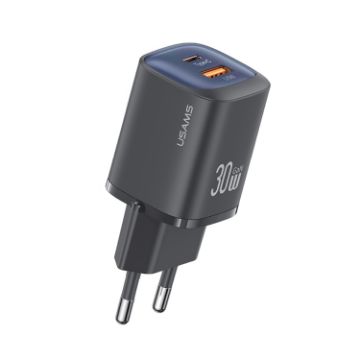
USAMS CC254 30W USB+USB-C/Type-C Dual Port GaN Fast Charger, EU Plug (Black)
- Color plating process, colorful
- Small size and high power, more convenient charging
- Gallium nitride chip, low temperature charging and better protection
- Dual-port fast charging, PD3.0/QC3.0 full protocol compatible
- 8-intelligent protection: over-current, over-power, over-voltage, short circuit, lightning strike, over-temperature, flame retardant, anti-interference
- Input: 100-240V 50/60Hz 0.8A
- Type-C output: 5V 3A, 9V 2.7A, 12V 2.2A, 15V 2A, 20V 1.5A
- USB output: 5V 3A, 9V 2A, 10V 2A, 12V 1.5A
C$19.35 C$24.18
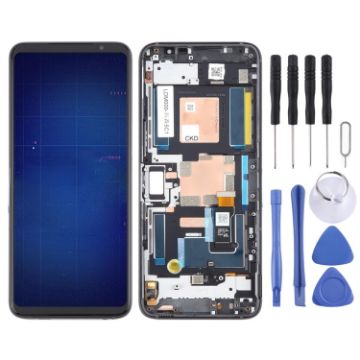
For Asus ROG Phone 6 Original LCD Screen Digitizer Full Assembly with Frame (Black)
- Before Installation Notes
- Tips 1: Test before installation
- When testing, do not remove any protective film or tags. Please pay attention to the problem of static electricity.
- Before attempting any repair, be sure to ground yourself is an ESD (electro static discharge) strap. This will prevent static electricity from damaging the electronic components within the phone.
- Ensure you wear eye protection and use caution not to cut your finger with the glass splinters.
- Tips 2: Simulates testing
- Screen replacement is very fragile product. We strongly suggest test before installation. Please simulates testing, which means mobile phone apart, (motherboard + LCD or screen) connected audio cable and new replacement, power on, test finished. If test OK, please install it. If it can not show, please contact us at the very first time. And please do not force it to be installed in mobile phone. We will not be responsible once the screen is installed.
- Tips 3: Do not over-bend cable
C$121.37 C$143.23
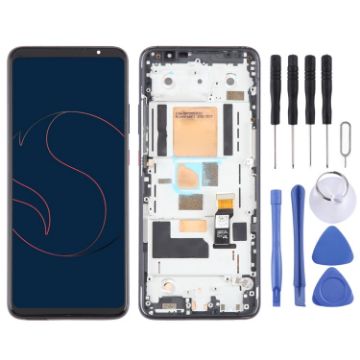
For Asus Smartphone for Snapdragon Insiders ZS675KW AMOLED LCD Screen Digitizer Full Assembly with Frame
- Before Installation Notes
- Tips 1: Test before installation
- When testing, do not remove any protective film or tags. Please pay attention to the problem of static electricity.
- Before attempting any repair, be sure to ground yourself is an ESD (electro static discharge) strap. This will prevent static electricity from damaging the electronic components within the device.
- Ensure you wear eye protection and use caution not to cut your finger with the glass splinters.
- Tips 2: Simulates testing
- Screen replacement is very fragile product. We strongly suggest test before installation. Please simulates testing, which means device apart, (motherboard + LCD or screen) connected audio cable and new replacement, power on, test finished. If test OK, please install it. If it can not show, please contact us at the very first time. And please do not force it to be installed in device. We will not be responsible once the screen is installed.
- Tips 3: Do not over-bend cable
C$86.97 C$101.75
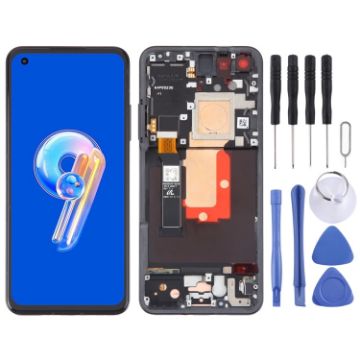
For Asus Zenfone 9 9Z AI2202 Original LCD Screen Digitizer Full Assembly with Frame (Black)
- Before Installation Notes
- Tips 1: Test before installation
- When testing, do not remove any protective film or tags. Please pay attention to the problem of static electricity.
- Before attempting any repair, be sure to ground yourself is an ESD (electro static discharge) strap. This will prevent static electricity from damaging the electronic components within the phone.
- Ensure you wear eye protection and use caution not to cut your finger with the glass splinters.
- Tips 2: Simulates testing
- Screen replacement is very fragile product. We strongly suggest test before installation. Please simulates testing, which means mobile phone apart, (motherboard + LCD or screen) connected audio cable and new replacement, power on, test finished. If test OK, please install it. If it can not show, please contact us at the very first time. And please do not force it to be installed in mobile phone. We will not be responsible once the screen is installed.
- Tips 3: Do not over-bend cable
C$110.91 C$135.31
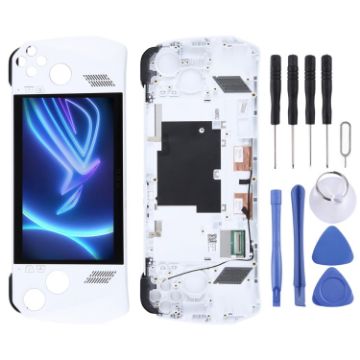
For Asus Rog Ally-RC71L-NH005W 120HZ Original LCD Screen Digitizer Full Assembly with Frame
- Before Installation Notes
- Tips 1: Test before installation
- When testing, do not remove any protective film or tags. Please pay attention to the problem of static electricity.
- Before attempting any repair, be sure to ground yourself is an ESD (electro static discharge) strap. This will prevent static electricity from damaging the electronic components within the device.
- Ensure you wear eye protection and use caution not to cut your finger with the glass splinters.
- Tips 2: Simulates testing
- Screen replacement is very fragile product. We strongly suggest test before installation. Please simulates testing, which means device apart, (motherboard + LCD or screen) connected audio cable and new replacement, power on, test finished. If test OK, please install it. If it can not show, please contact us at the very first time. And please do not force it to be installed in device. We will not be responsible once the screen is installed.
- Tips 3: Do not over-bend cable
C$90.40 C$107.58

NEED HELP?
Payment options
