Search



WORLDWIDE SHIPPING
fast, flexible, secure options

ONLINE SUPPORT 24 / 7
anytime, anywhere help

MONEY BACK GUARANTEE
shop with confidence

WIDE SELECTION
every day low prices
Video Game Consoles & Accessories
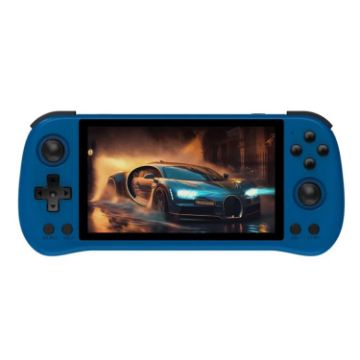
POWKIDDY X55 Game Console 5.5 Inch 1280 X 720 IPS Screen RK3566 Linux System Open-Source Retro Video Player 16GB+256GB (Blue)
- Large screen: 5.5-inch IPS high-definition screen with a resolution of 720X1280, clearer picture quality and softer tones
- The game console uses RK3566 quad-core ARM Cortex-A55 1.8GHz processor, providing a smooth and responsive gaming experience.
- HD TV output: large screen for two-player games, same screen quality, supports up to four players, invincible with friends and family
- Compatible with more simulators: supports 30 simulators such as CPS, FBA, FC, GB, GBA, GBC, NEOGEO, SFC, MD, PS, N64, PSP, etc., supports users to add related format games
- Upgraded dual card slots: supports TF card expansion, up to 256GB
- Long-lasting battery life: built-in polymer lithium-ion battery 4000 mAh, battery life of more than 4 hours
- Games: Applicable to 30 simulators such as CPS, FBA, FC, GB, GBA, GBC, NEOGEO, SFC, MD, PS, N64, PSP, etc., supports users to add related format games
- Display: size 5.5 inches IPS, resolution 720x1280
C$203.18 C$249.91
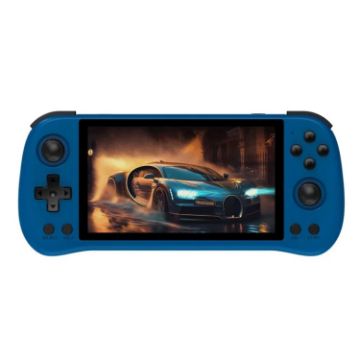
POWKIDDY X55 Game Console 5.5 Inch 1280 X 720 IPS Screen RK3566 Linux System Open-Source Retro Video Player 16GB+128GB (Blue)
- Large screen: 5.5-inch IPS high-definition screen with a resolution of 720X1280, clearer picture quality and softer tones
- The game console uses RK3566 quad-core ARM Cortex-A55 1.8GHz processor, providing a smooth and responsive gaming experience.
- HD TV output: large screen for two-player games, same screen quality, supports up to four players, invincible with friends and family
- Compatible with more simulators: supports 30 simulators such as CPS, FBA, FC, GB, GBA, GBC, NEOGEO, SFC, MD, PS, N64, PSP, etc., supports users to add related format games
- Upgraded dual card slots: supports TF card expansion, up to 256GB
- Long-lasting battery life: built-in polymer lithium-ion battery 4000 mAh, battery life of more than 4 hours
- Games: Applicable to 30 simulators such as CPS, FBA, FC, GB, GBA, GBC, NEOGEO, SFC, MD, PS, N64, PSP, etc., supports users to add related format games
- Display: size 5.5 inches IPS, resolution 720x1280
C$182.09 C$211.22
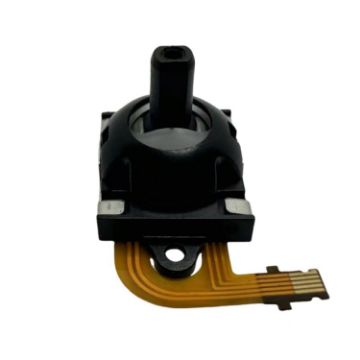
For Sony PlayStation Portal Controller Hall Electromagnetic Joystick, Spec: Right
- Compatibility: Suitable for Sony PlayStation Portal
- Modify the Hall joystick, disassemble the handle and install it directly without welding, easy to operate
- Solve the joystick drift problem, no need to install the fixing frame, fix the screws, plug in the cable and you can use it
- By pushing, tilting and rotating the joystick, you can control the movement and perspective of the character.
- Suitable for players who like to play games, especially those who have requirements for game control experience.
C$12.01 C$14.04
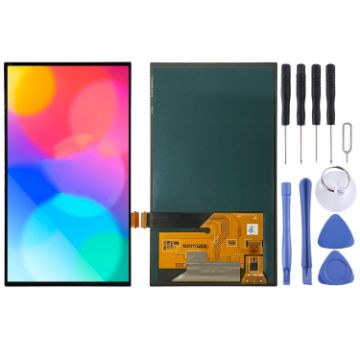
OLED LCD Screen For Nintendo Switch With Digitizer Full Assembly (Black)
- Before Installation Notes
- Tips 1: Test before installation
- When testing, do not remove any protective film or tags. Please pay attention to the problem of static electricity.
- Before attempting any repair, be sure to ground yourself is an ESD (electro static discharge) strap. This will prevent static electricity from damaging the electronic components within the device.
- Ensure you wear eye protection and use caution not to cut your finger with the glass splinters.
- Tips 2: Simulates testing
- Screen replacement is very fragile product. We strongly suggest test before installation. Please simulates testing, which means device apart, (motherboard + LCD or screen) connected audio cable and new replacement, power on, test finished. If test OK, please install it. If it can not show, please contact us at the very first time. And please do not force it to be installed in device. We will not be responsible once the screen is installed.
- Tips 3: Do not over-bend cable
C$137.48 C$170.47
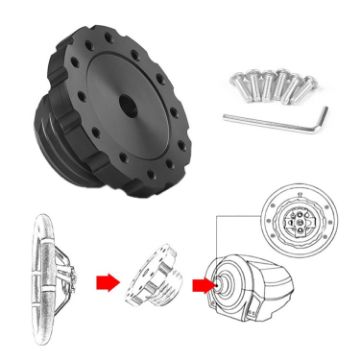
For Thrustmaster TXT300 T500TS Gaming Steering Wheel Connection Adapter (Black)
- Durable, quality and strong.
- You will drive more accurately with it. Your lap times will be better than with stock wheel.
- Easy to install.
- CNC machined: it keeps your new steering wheel as close as possible to original steering wheel offset and not needing any rubber rings.
- Suitable for Thurstmaster TX, T300, T500, TS-PC, TS-XW, T-GT Servo Bases
C$28.27 C$35.34
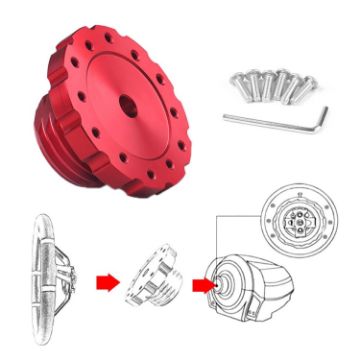
For Thrustmaster TXT300 T500TS Gaming Steering Wheel Connection Adapter (Red)
- Durable, quality and strong.
- You will drive more accurately with it. Your lap times will be better than with stock wheel.
- Easy to install.
- CNC machined: it keeps your new steering wheel as close as possible to original steering wheel offset and not needing any rubber rings.
- Suitable for Thurstmaster TX, T300, T500, TS-PC, TS-XW, T-GT Servo Bases
C$28.27 C$33.08
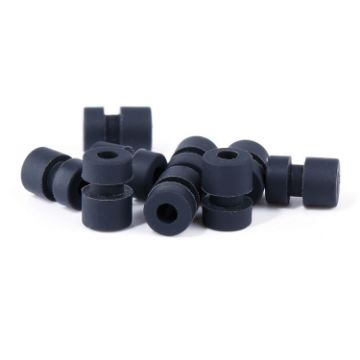
5 Packs/100pcs iFlight M2 6.6mm Damping Rubber Column Shock-absorbing Ball FPV RC Shock Ring
- Material: Plastic
- Light weight, small size, easy to carry
- Effective shock absorption
- Easy to install
- Product size: suitable for control boards with an inner diameter of 1.5mm/2mm
C$16.04 C$19.73
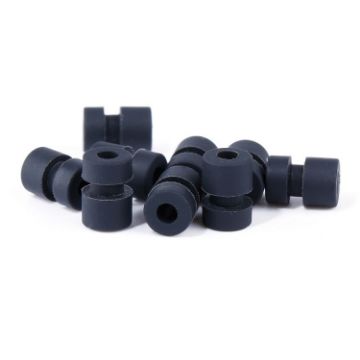
5 Packs/100pcs iFlight M2 5.6mm Damping Rubber Column Shock-absorbing Ball FPV RC Shock Ring
- Material: Plastic
- Light weight, small size, easy to carry
- Effective shock absorption
- Easy to install
- Product size: suitable for control boards with an inner diameter of 1.5mm/2mm
C$16.04 C$19.25
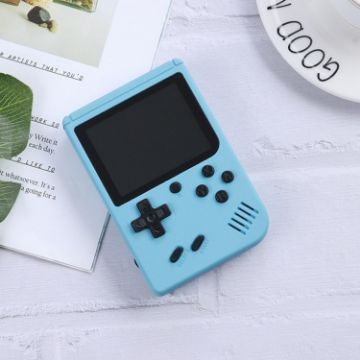
MK800 3.0 inch Macaron Mini Retro Classic Handheld Game Console for Kids Built-in 800 Games, Support AV Output (Blue)
- Screen: 3 inch LCD color screen
- Battery: 1020mAh lithium battery
- Game type: built-in 800 games
- Charging port: micro USB
- Support AV output
- Size: 8x2.5x12cm
C$19.63 C$22.77
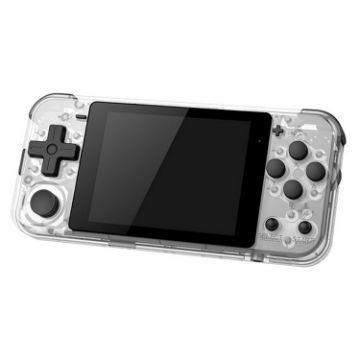
Powkiddy Q90 3.0 inch IPS Screen Retro Joystick Handheld Game Console with 16GB Memory (White)
- CPU: ARM9
- Memory: 16GB
- 3.0 inches IPS screen, 320x240
- Linux OS and Situ OS
- Built-in dual speakers, 1Wx2
- BP-4L 1500mAh lithium battery, 6 hours battery life, 2.5 hours charging time
- Input: 5V/1000mA
- Power consumption: 1.5W/H
C$45.27 C$55.22
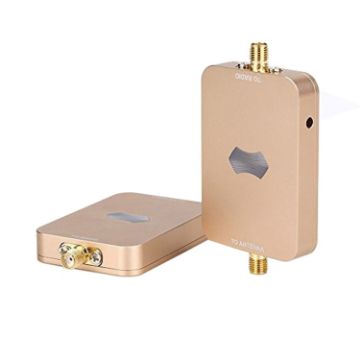
SH-RC58G2W 5.8GHz 2W Wireless WiFi Signal Booster Amplifier for UAV RC (Gold)
- Compact size and lightweight.
- Designed for drones, UAV, RC equipment etc..
- 2000mW 5.8GHz UAV RC wifi signal booster amplifier.
- Designed for use in a variety of mobile and wireless networking applications.
- Result in a further reaching signal and better connectivity.
- Model No.: SH-RC58G2W
- Operating Range: 5000-5875MHz
- Channel Size: 20Mhz & 40Mhz & 80Mhz
C$160.30 C$198.78
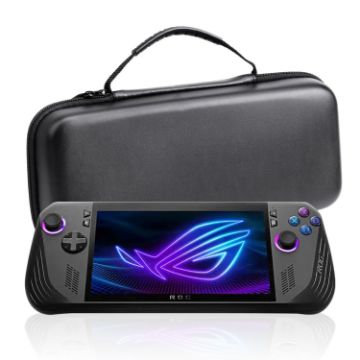
For ASUS ROG Ally X Game Console EVA Leather Pattern Handbag (Black)
- Made of EVA material, it has a bright and hard appearance, and the inner layer is made of anti-scratch velvet to protect the host from scratches.
- The bag has a large space design, double zippers, and compartments, which are convenient to open and position at will.
- Specially designed for ROG Ally X host, with fine workmanship, it can not only store, but also prevent dust and fall.
- 12 game card storage bags, upper cover storage net bag, can hold chargers and other accessories
- Material: EVA leather grain
- Note: The product is only a storage bag, not containing other
C$15.44 C$17.76

NEED HELP?
Payment options
