Search



WORLDWIDE SHIPPING
fast, flexible, secure options

ONLINE SUPPORT 24 / 7
anytime, anywhere help

MONEY BACK GUARANTEE
shop with confidence

WIDE SELECTION
every day low prices
Electronics
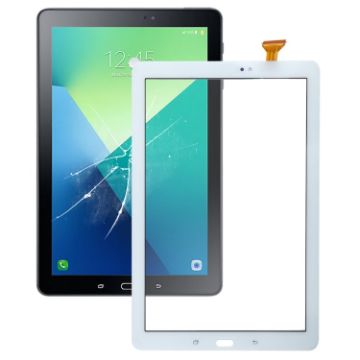
For Samsung Galaxy Tab A 10.1 2016 SM-P585/P580 Touch Panel (White)
- Before Installation Notes
- Tips 1: Test before installation
- When testing, do not remove any protective film or tags. Please pay attention to the problem of static electricity.
- Before attempting any repair, be sure to ground yourself is an ESD (electro static discharge) strap. This will prevent static electricity from damaging the electronic components within the phone.
- Ensure you wear eye protection and use caution not to cut your finger with the glass splinters.
- Tips 2: Simulates testing
- Screen replacement is very fragile product. We strongly suggest test before installation. Please simulates testing, which means mobile phone apart, (touch screen) connected audio cable and new replacement, power on, test finished. If test OK, please install it. If it can not show, please contact us at the very first time. And please do not force it to be installed in mobile phone. We will not be responsible once the screen is installed.
- Tips 3: Do not over-bend cable
C$16.42 C$19.71
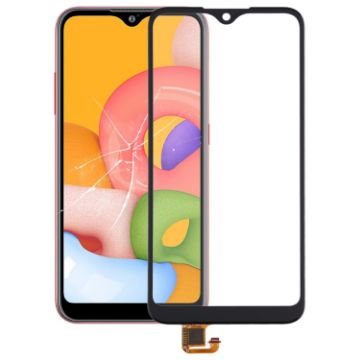
For Galaxy A01/A21 Touch Panel (Black)
- Before Installation Notes
- Tips 1: Test before installation
- When testing, do not remove any protective film or tags. Please pay attention to the problem of static electricity.
- Before attempting any repair, be sure to ground yourself is an ESD (electro static discharge) strap. This will prevent static electricity from damaging the electronic components within the phone.
- Ensure you wear eye protection and use caution not to cut your finger with the glass splinters.
- Tips 2: Simulates testing
- Screen replacement is very fragile product. We strongly suggest test before installation. Please simulates testing, which means mobile phone apart, (touch screen) connected audio cable and new replacement, power on, test finished. If test OK, please install it. If it can not show, please contact us at the very first time. And please do not force it to be installed in mobile phone. We will not be responsible once the screen is installed.
- Tips 3: Do not over-bend cable
C$9.81 C$12.17
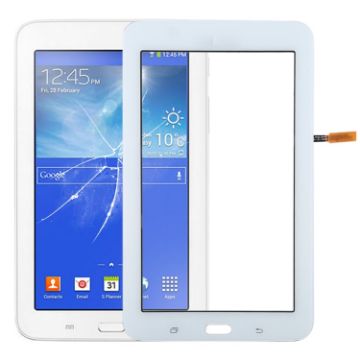
For Galaxy Tab 3 Lite 7.0 VE T113 Touch Panel (White)
- Before Installation Notes
- Tips 1: Test before installation
- When testing, do not remove any protective film or tags. Please pay attention to the problem of static electricity.
- Before attempting any repair, be sure to ground yourself is an ESD (electro static discharge) strap. This will prevent static electricity from damaging the electronic components within the phone.
- Ensure you wear eye protection and use caution not to cut your finger with the glass splinters.
- Tips 2: Simulates testing
- Screen replacement is very fragile product. We strongly suggest test before installation. Please simulates testing, which means mobile phone apart, (touch screen) connected audio cable and new replacement, power on, test finished. If test OK, please install it. If it can not show, please contact us at the very first time. And please do not force it to be installed in mobile phone. We will not be responsible once the screen is installed.
- Tips 3: Do not over-bend cable
C$12.10 C$14.51
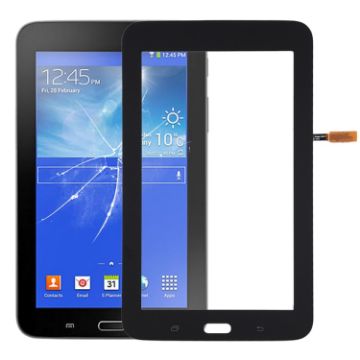
For Galaxy Tab 3 Lite 7.0 VE T113 Touch Panel (Black)
- Before Installation Notes
- Tips 1: Test before installation
- When testing, do not remove any protective film or tags. Please pay attention to the problem of static electricity.
- Before attempting any repair, be sure to ground yourself is an ESD (electro static discharge) strap. This will prevent static electricity from damaging the electronic components within the phone.
- Ensure you wear eye protection and use caution not to cut your finger with the glass splinters.
- Tips 2: Simulates testing
- Screen replacement is very fragile product. We strongly suggest test before installation. Please simulates testing, which means mobile phone apart, (touch screen) connected audio cable and new replacement, power on, test finished. If test OK, please install it. If it can not show, please contact us at the very first time. And please do not force it to be installed in mobile phone. We will not be responsible once the screen is installed.
- Tips 3: Do not over-bend cable
C$12.10 C$14.64
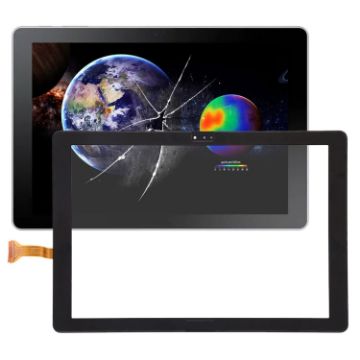
For Galaxy Book 10.6, LTE/SM-W627 Touch Panel (Black)
- Before Installation Notes
- Tips 1: Test before installation
- When testing, do not remove any protective film or tags. Please pay attention to the problem of static electricity.
- Before attempting any repair, be sure to ground yourself is an ESD (electro static discharge) strap. This will prevent static electricity from damaging the electronic components within the phone.
- Ensure you wear eye protection and be cautious not to cut your finger with the glass splinters.
- Tips 2: Simulates testing
- Screen replacement is very fragile product. We strongly suggest test before installation. Please simulates testing, which means mobile phone apart, (motherboard + LCD or screen) connected audio cable and new replacement, power on, test finished. If test OK, please install it. If it can not show, please contact us at the very first time. And please do not force it to be installed in mobile phone. We will not be responsible once the screen is installed.
- Tips 3: Do not over-bend cable
C$18.91 C$21.93
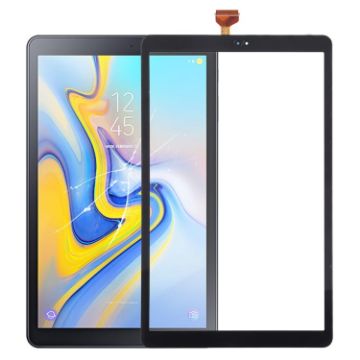
For Galaxy Tab A 10.5/SM-T590 Touch Panel (Black)
- Before Installation Notes
- Tips 1: Test before installation
- When testing, do not remove any protective film or tags. Please pay attention to the problem of static electricity.
- Before attempting any repair, be sure to ground yourself is an ESD (electro static discharge) strap. This will prevent static electricity from damaging the electronic components within the phone.
- Ensure you wear eye protection and be cautious not to cut your finger with the glass splinters.
- Tips 2: Simulates testing
- Screen replacement is very fragile product. We strongly suggest test before installation. Please simulates testing, which means mobile phone apart, (motherboard + LCD or screen) connected audio cable and new replacement, power on, test finished. If test OK, please install it. If it can not show, please contact us at the very first time. And please do not force it to be installed in mobile phone. We will not be responsible once the screen is installed.
- Tips 3: Do not over-bend cable
C$13.08 C$16.23
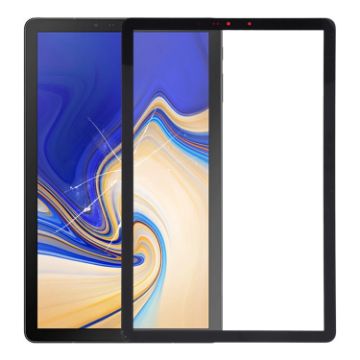
For Galaxy Tab S4 10.5/SM-T830/T835 Front Screen Outer Glass Lens (Black)
- Before Installation Notes
- Tips 1: Test before installation
- When testing, do not remove any protective film or tags. Please pay attention to the problem of static electricity.
- Before attempting any repair, be sure to ground yourself is an ESD (electro static discharge) strap. This will prevent static electricity from damaging the electronic components within the phone.
- Ensure you wear eye protection and use caution not to cut your finger with the glass splinters.
- Tips 2: Simulates testing
- Screen replacement is very fragile product. We strongly suggest test before installation. Please simulates testing, which means mobile phone apart, (motherboard + LCD or screen) connected audio cable and new replacement, power on, test finished. If test OK, please install it. If it can not show, please contact us at the very first time. And please do not force it to be installed in mobile phone. We will not be responsible once the screen is installed.
- Tips 3: Do not over-bend cable
C$8.70 C$10.89
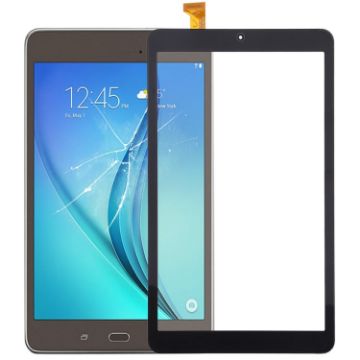
For Galaxy Tab A 8.0 Verizon/SM-T387 Touch Panel (Black)
- Before Installation Notes
- Tips 1: Test before installation
- When testing, do not remove any protective film or tags. Please pay attention to the problem of static electricity.
- Before attempting any repair, be sure to ground yourself is an ESD (electro static discharge) strap. This will prevent static electricity from damaging the electronic components within the phone.
- Ensure you wear eye protection and be cautious not to cut your finger with the glass splinters.
- Tips 2: Simulates testing
- Screen replacement is very fragile product. We strongly suggest test before installation. Please simulates testing, which means mobile phone apart, (motherboard + LCD or screen) connected audio cable and new replacement, power on, test finished. If test OK, please install it. If it can not show, please contact us at the very first time. And please do not force it to be installed in mobile phone. We will not be responsible once the screen is installed.
- Tips 3: Do not over-bend cable
C$13.08 C$15.05
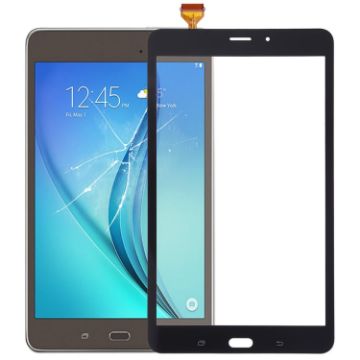
For Galaxy Tab A 8.0/T385 4G Version Touch Panel (Black)
- Before Installation Notes
- Tips 1: Test before installation
- When testing, do not remove any protective film or tags. Please pay attention to the problem of static electricity.
- Before attempting any repair, be sure to ground yourself is an ESD (electro static discharge) strap. This will prevent static electricity from damaging the electronic components within the phone.
- Ensure you wear eye protection and be cautious not to cut your finger with the glass splinters.
- Tips 2: Simulates testing
- Screen replacement is very fragile product. We strongly suggest test before installation. Please simulates testing, which means mobile phone apart, (motherboard + LCD or screen) connected audio cable and new replacement, power on, test finished. If test OK, please install it. If it can not show, please contact us at the very first time. And please do not force it to be installed in mobile phone. We will not be responsible once the screen is installed.
- Tips 3: Do not over-bend cable
C$14.70 C$17.50
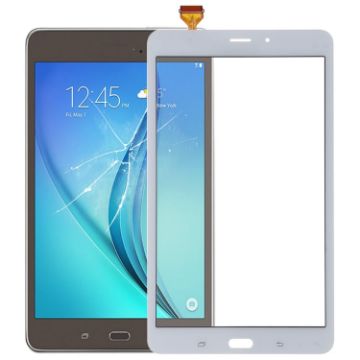
For Galaxy Tab A 8.0/T385 4G Version Touch Panel (White)
- Before Installation Notes
- Tips 1: Test before installation
- When testing, do not remove any protective film or tags. Please pay attention to the problem of static electricity.
- Before attempting any repair, be sure to ground yourself is an ESD (electro static discharge) strap. This will prevent static electricity from damaging the electronic components within the phone.
- Ensure you wear eye protection and be cautious not to cut your finger with the glass splinters.
- Tips 2: Simulates testing
- Screen replacement is very fragile product. We strongly suggest test before installation. Please simulates testing, which means mobile phone apart, (motherboard + LCD or screen) connected audio cable and new replacement, power on, test finished. If test OK, please install it. If it can not show, please contact us at the very first time. And please do not force it to be installed in mobile phone. We will not be responsible once the screen is installed.
- Tips 3: Do not over-bend cable
C$14.70 C$17.50
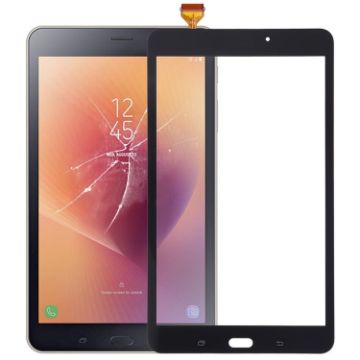
For Galaxy Tab A 8.0/T380 WIFI Version Touch Panel (Black)
- Before Installation Notes
- Tips 1: Test before installation
- When testing, do not remove any protective film or tags. Please pay attention to the problem of static electricity.
- Before attempting any repair, be sure to ground yourself is an ESD (electro static discharge) strap. This will prevent static electricity from damaging the electronic components within the phone.
- Ensure you wear eye protection and be cautious not to cut your finger with the glass splinters.
- Tips 2: Simulates testing
- Screen replacement is very fragile product. We strongly suggest test before installation. Please simulates testing, which means mobile phone apart, (motherboard + LCD or screen) connected audio cable and new replacement, power on, test finished. If test OK, please install it. If it can not show, please contact us at the very first time. And please do not force it to be installed in mobile phone. We will not be responsible once the screen is installed.
- Tips 3: Do not over-bend cable
C$12.58 C$15.72
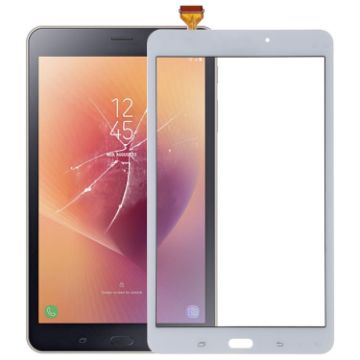
For Galaxy Tab A 8.0/T380 WIFI Version Touch Panel (White)
- Before Installation Notes
- Tips 1: Test before installation
- When testing, do not remove any protective film or tags. Please pay attention to the problem of static electricity.
- Before attempting any repair, be sure to ground yourself is an ESD (electro static discharge) strap. This will prevent static electricity from damaging the electronic components within the phone.
- Ensure you wear eye protection and be cautious not to cut your finger with the glass splinters.
- Tips 2: Simulates testing
- Screen replacement is very fragile product. We strongly suggest test before installation. Please simulates testing, which means mobile phone apart, (motherboard + LCD or screen) connected audio cable and new replacement, power on, test finished. If test OK, please install it. If it can not show, please contact us at the very first time. And please do not force it to be installed in mobile phone. We will not be responsible once the screen is installed.
- Tips 3: Do not over-bend cable
C$12.79 C$15.49

NEED HELP?
Payment options
