Search



WORLDWIDE SHIPPING
fast, flexible, secure options

ONLINE SUPPORT 24 / 7
anytime, anywhere help

MONEY BACK GUARANTEE
shop with confidence

WIDE SELECTION
every day low prices
Electronics
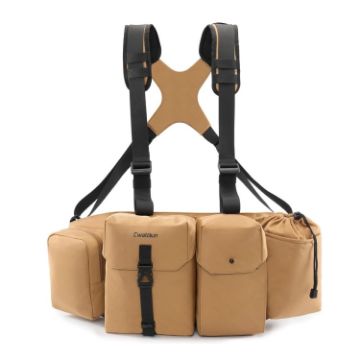
Cwatcun D104 Camera Waist Pack Vest Bag, Size:75 x 10.5 x 27.5cm (Earth)
- Well Organized Capacity: This camera waist pack is lightweight portability. It can accommodate DSLR and lens or a binoculars, organize your camera gear, lens, binoculars and accessories exactly as you need conveniently.
- Good Fit Design: With 4 strap adjustments you can easily achieve the best fit. The straps keep the camera bag secure arond your waist, where they will not get in the way and it also helps limit bouncing, banging, and rustling noises while moving. It offers pressure reduction and makes long walks through the woods much easier on your body.
- User-Friendly Design: The easy access front pocket opening method is convenient. Attach a elastic band expansion for water bottle or umbrella, a zipper pocket for phone or power bank, a back velcro pouch for valuables.
- Durable & Secure Protection: The durable fabric protects your gears, while the soft interior ensures the safety. The waistband can securely attach the bag to avoid drops. Keeping your camera, lens and binoculars secured to your body is important, then you could use your hands for other things. Durable buckles and webbing for long lasting use. Strong velcro and buckles can keep your gear safe. Cwatcun camera bag is perfect for long-lasting performance in harsh environments.
- Comfortable & Easy to Carry: Features a widen shoulder pad and vented mesh for superior airflow, providing extra comfort with reduce strain on the neck and shoulders, making it more comfortable to carry heavy camera equipment. Cwatcun camera bag is perfect for outdoor excursions. An ideal christmas, birthday gifts for women and men.
C$62.44 C$76.80
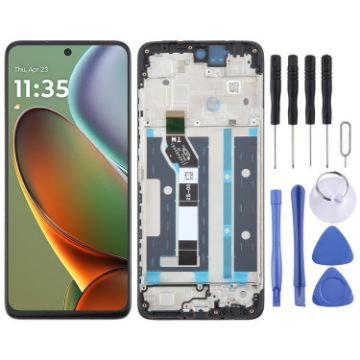
For Motorola Moto G15 Power OEM LCD Screen Digitizer Full Assembly with Frame
- Before Installation Notes
- Tips 1: Test before installation
- When testing, do not remove any protective film or tags. Please pay attention to the problem of static electricity.
- Before attempting any repair, be sure to ground yourself is an ESD (electro static discharge) strap. This will prevent static electricity from damaging the electronic components within the phone.
- Ensure you wear eye protection and use caution not to cut your finger with the glass splinters.
- Tips 2: Simulates testing
- Screen replacement is very fragile product. We strongly suggest test before installation. Please simulates testing, which means mobile phone apart, (motherboard + LCD or screen) connected audio cable and new replacement, power on, test finished. If test OK, please install it. If it can not show, please contact us at the very first time. And please do not force it to be installed in mobile phone. We will not be responsible once the screen is installed.
- Tips 3: Do not over-bend cable
C$21.21 C$25.46
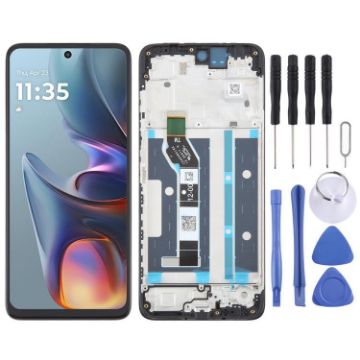
For Motorola Moto E15 OEM LCD Screen Digitizer Full Assembly with Frame
- Before Installation Notes
- Tips 1: Test before installation
- When testing, do not remove any protective film or tags. Please pay attention to the problem of static electricity.
- Before attempting any repair, be sure to ground yourself is an ESD (electro static discharge) strap. This will prevent static electricity from damaging the electronic components within the phone.
- Ensure you wear eye protection and use caution not to cut your finger with the glass splinters.
- Tips 2: Simulates testing
- Screen replacement is very fragile product. We strongly suggest test before installation. Please simulates testing, which means mobile phone apart, (motherboard + LCD or screen) connected audio cable and new replacement, power on, test finished. If test OK, please install it. If it can not show, please contact us at the very first time. And please do not force it to be installed in mobile phone. We will not be responsible once the screen is installed.
- Tips 3: Do not over-bend cable
C$20.70 C$24.63
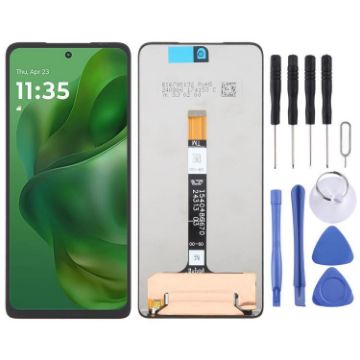
For Motorola Moto G Power 2025 XT2515-1 OEM LCD Screen with Digitizer Full Assembly
- Before Installation Notes
- Tips 1: Test before installation
- When testing, do not remove any protective film or tags. Please pay attention to the problem of static electricity.
- Before attempting any repair, be sure to ground yourself is an ESD (electro static discharge) strap. This will prevent static electricity from damaging the electronic components within the phone.
- Ensure you wear eye protection and use caution not to cut your finger with the glass splinters.
- Tips 2: Simulates testing
- Screen replacement is very fragile product. We strongly suggest test before installation. Please simulates testing, which means mobile phone apart, (motherboard + LCD or screen) connected audio cable and new replacement, power on, test finished. If test OK, please install it. If it can not show, please contact us at the very first time. And please do not force it to be installed in mobile phone. We will not be responsible once the screen is installed.
- Tips 3: Do not over-bend cable
C$20.85 C$24.18
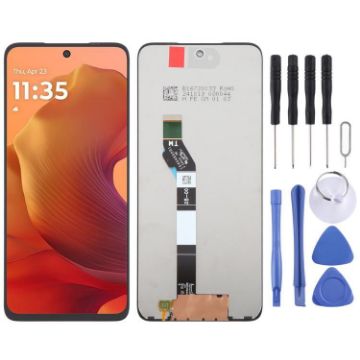
For Motorola Moto G15 OEM LCD Screen with Digitizer Full Assembly
- Before Installation Notes
- Tips 1: Test before installation
- When testing, do not remove any protective film or tags. Please pay attention to the problem of static electricity.
- Before attempting any repair, be sure to ground yourself is an ESD (electro static discharge) strap. This will prevent static electricity from damaging the electronic components within the phone.
- Ensure you wear eye protection and use caution not to cut your finger with the glass splinters.
- Tips 2: Simulates testing
- Screen replacement is very fragile product. We strongly suggest test before installation. Please simulates testing, which means mobile phone apart, (motherboard + LCD or screen) connected audio cable and new replacement, power on, test finished. If test OK, please install it. If it can not show, please contact us at the very first time. And please do not force it to be installed in mobile phone. We will not be responsible once the screen is installed.
- Tips 3: Do not over-bend cable
C$19.73 C$22.88
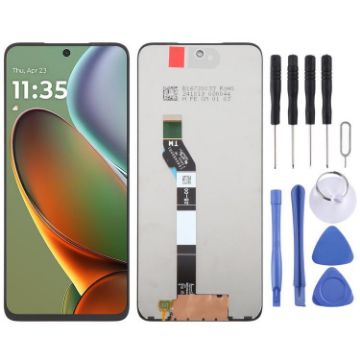
For Motorola Moto G15 Power OEM LCD Screen with Digitizer Full Assembly
- Before Installation Notes
- Tips 1: Test before installation
- When testing, do not remove any protective film or tags. Please pay attention to the problem of static electricity.
- Before attempting any repair, be sure to ground yourself is an ESD (electro static discharge) strap. This will prevent static electricity from damaging the electronic components within the phone.
- Ensure you wear eye protection and use caution not to cut your finger with the glass splinters.
- Tips 2: Simulates testing
- Screen replacement is very fragile product. We strongly suggest test before installation. Please simulates testing, which means mobile phone apart, (motherboard + LCD or screen) connected audio cable and new replacement, power on, test finished. If test OK, please install it. If it can not show, please contact us at the very first time. And please do not force it to be installed in mobile phone. We will not be responsible once the screen is installed.
- Tips 3: Do not over-bend cable
C$19.73 C$23.28
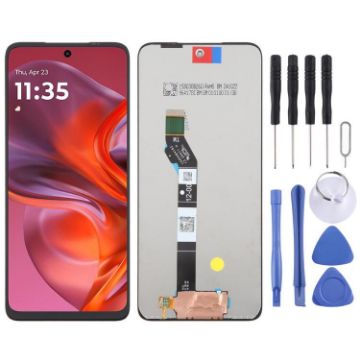
For Motorola Moto G05 OEM LCD Screen with Digitizer Full Assembly
- Before Installation Notes
- Tips 1: Test before installation
- When testing, do not remove any protective film or tags. Please pay attention to the problem of static electricity.
- Before attempting any repair, be sure to ground yourself is an ESD (electro static discharge) strap. This will prevent static electricity from damaging the electronic components within the phone.
- Ensure you wear eye protection and use caution not to cut your finger with the glass splinters.
- Tips 2: Simulates testing
- Screen replacement is very fragile product. We strongly suggest test before installation. Please simulates testing, which means mobile phone apart, (motherboard + LCD or screen) connected audio cable and new replacement, power on, test finished. If test OK, please install it. If it can not show, please contact us at the very first time. And please do not force it to be installed in mobile phone. We will not be responsible once the screen is installed.
- Tips 3: Do not over-bend cable
C$19.73 C$23.67
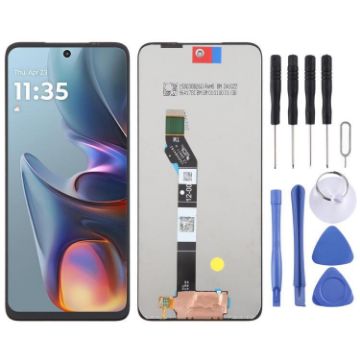
For Motorola Moto E15 OEM LCD Screen with Digitizer Full Assembly
- Before Installation Notes
- Tips 1: Test before installation
- When testing, do not remove any protective film or tags. Please pay attention to the problem of static electricity.
- Before attempting any repair, be sure to ground yourself is an ESD (electro static discharge) strap. This will prevent static electricity from damaging the electronic components within the phone.
- Ensure you wear eye protection and use caution not to cut your finger with the glass splinters.
- Tips 2: Simulates testing
- Screen replacement is very fragile product. We strongly suggest test before installation. Please simulates testing, which means mobile phone apart, (motherboard + LCD or screen) connected audio cable and new replacement, power on, test finished. If test OK, please install it. If it can not show, please contact us at the very first time. And please do not force it to be installed in mobile phone. We will not be responsible once the screen is installed.
- Tips 3: Do not over-bend cable
C$19.73 C$22.88
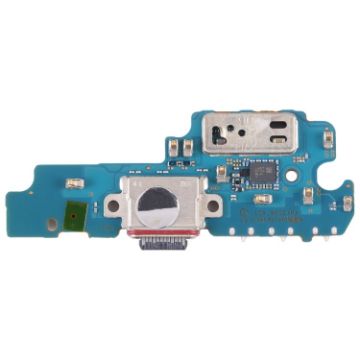
For Samsung Galaxy W22 5G Original Charging Port Board
- Charging port board replacement part.
- This part is used to replace your damaged or unworkable one with a new one.
- Each item has been checked and in good condition before shipping.
- Completely fit and work.
- The installation of any new part should be done by a qualified person. We will not be responsible for any damage caused during installation.
C$12.02 C$14.53
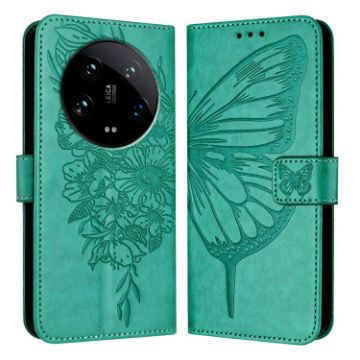
For Xiaomi 14 Ultra 5G Global Embossed Butterfly Leather Phone Case (Green)
- Simple, comfortable and easy to carry.
- It adequately protects devices from the normal scratches, dirt, tear and wear.
- Holder design makes horizontal viewing more convenient.
- With wallet and card slot, practical and functional.
- Access to all ports and buttons easily without removing the case.
C$13.27 C$15.26
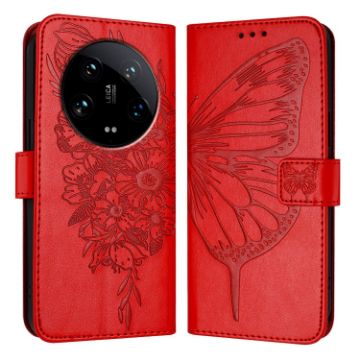
For Xiaomi 14 Ultra 5G Global Embossed Butterfly Leather Phone Case (Red)
- Simple, comfortable and easy to carry.
- It adequately protects devices from the normal scratches, dirt, tear and wear.
- Holder design makes horizontal viewing more convenient.
- With wallet and card slot, practical and functional.
- Access to all ports and buttons easily without removing the case.
C$13.27 C$16.45
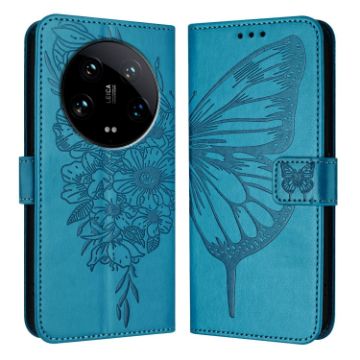
For Xiaomi 14 Ultra 5G Global Embossed Butterfly Leather Phone Case (Blue)
- Simple, comfortable and easy to carry.
- It adequately protects devices from the normal scratches, dirt, tear and wear.
- Holder design makes horizontal viewing more convenient.
- With wallet and card slot, practical and functional.
- Access to all ports and buttons easily without removing the case.
C$13.27 C$16.06

NEED HELP?
Payment options
