Search



WORLDWIDE SHIPPING
fast, flexible, secure options

ONLINE SUPPORT 24 / 7
anytime, anywhere help

MONEY BACK GUARANTEE
shop with confidence

WIDE SELECTION
every day low prices
Computer & Networking
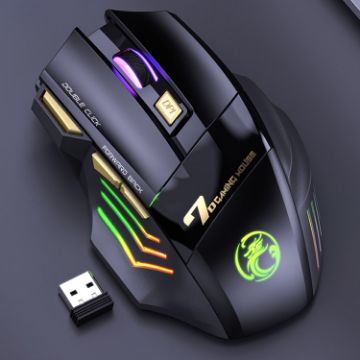
iMICE GW-X7 7-button Silent Rechargeable Wireless Gaming Mouse with Colorful RGB Lights (Black)
- 6 buttons, a scroll wheel
- Mute button, do not disturb others
- 1200/2400/3200dpi adjustable
- Colorful RGB lights, add game atmosphere
- Built-in rechargeable battery, long-lasting battery life
- 3D non-slip texture
- Connect within 10m. Plug and play
C$15.16 C$17.73
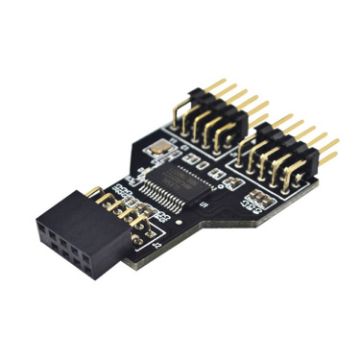
9 Pin USB Header Female 1 To 2 Male Board 9-Pin USB 2.0 HUB Connector Adapter
- Purpose: There are more and more USB devices now. When the USB ports on the chassis are not enough, you can use this device to directly convert the 9PIN interface on the board into two 9PIN interfaces, and transfer them to the USB on the front panel, so that Provides a front USB interface, very convenient.
- The port supports high-speed (480MHz) and full-speed (12MHz) modes
- Support USB hot plug function
- Support Windows XP/2003/Vista/win7/win8/2003/10 and above systems, etc.
- Hardware requirements: a motherboard supporting USB2.0 9PIN
C$12.29 C$15.36
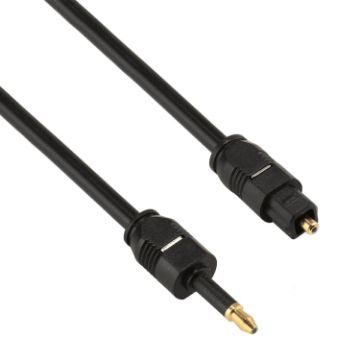
1.5m OD4.0mm Toslink Male to 3.5mm Mini Toslink Male Digital Optical Audio Cable
- The item is a toslink male to 3.5mm mini toslink male audio fiber cable.
- Cable Outside Diameter: 4.0mm.
- This toslink/optical digital audio cable provides you with the clearest possible signal, by preventing interference and improving sound quality.
- This optical fiber cable connects to your DVD, CD, MINI Disc player and recorders, etc, and it provides you fully enriched and detailed sound quality.
- Dust cap protects connector from contamination when not in use.
C$8.46 C$10.07
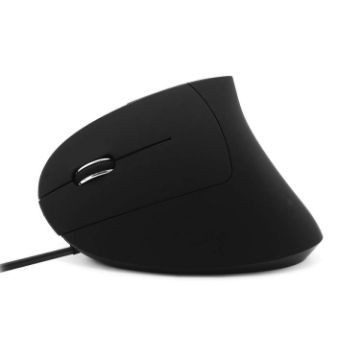
CM0093 Wired Version 2.4GHz Three-button Vertical Mouse for Left-hand, Resolution: 1000DPI/1200DPI/1600DPI, Cable Length1.7m (Black)
- USB interface, plug and play
- Ergonomic, arc shape fits the palm, suitable for left hand
- The special counterweight design makes the center of gravity design in the palm of the hand, which makes the operation more stable
- Precise and sensitive optical engine, sensitive and precise optical positioning
- Adopt advanced and high-frequency optical positioning technology, with a resolution of 1000-1200-1600 DPI, allowing you to use it on desktops other than glass steadily and freely
- The wheel scrolls without noise, the paragraph feels soft, the reaction is quick and accurate, and it can effectively scroll the screen up and down, easily browse and edit web pages, data tables, photos, etc.
- The mechanical life and electrical life of the keys are more than 5 million times
- Size: 7x12x6cm
C$16.66 C$19.66
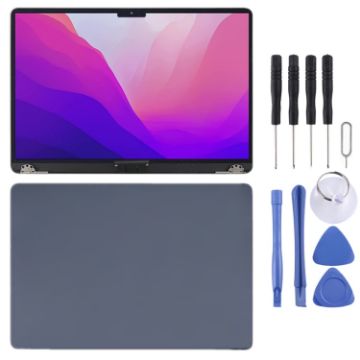
For MacBook Air 13.6 inch A2681 2022 LCD Screen with Digitizer Full Assembly (Blue)
- Before Installation Notes
- Tips 1: Test before installation
- When testing, do not remove any protective film or tags. Please pay attention to the problem of static electricity.
- Before attempting any repair, be sure to ground yourself is an ESD (electro static discharge) strap. This will prevent static electricity from damaging the electronic components within the device.
- Ensure you wear eye protection and use caution not to cut your finger with the glass splinters.
- Tips 2: Simulates testing
- Screen replacement is very fragile product. We strongly suggest test before installation. Please simulates testing, which means device apart, (motherboard + LCD or screen) connected audio cable and new replacement, power on, test finished. If test OK, please install it. If it can not show, please contact us at the very first time. And please do not force it to be installed in device. We will not be responsible once the screen is installed.
- Tips 3: Do not over-bend cable
C$552.28 C$668.26
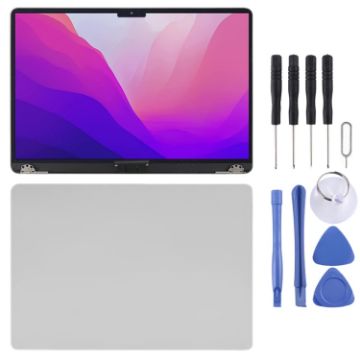
For MacBook Air 13.6 inch A2681 2022 LCD Screen with Digitizer Full Assembly (Silver)
- Before Installation Notes
- Tips 1: Test before installation
- When testing, do not remove any protective film or tags. Please pay attention to the problem of static electricity.
- Before attempting any repair, be sure to ground yourself is an ESD (electro static discharge) strap. This will prevent static electricity from damaging the electronic components within the device.
- Ensure you wear eye protection and use caution not to cut your finger with the glass splinters.
- Tips 2: Simulates testing
- Screen replacement is very fragile product. We strongly suggest test before installation. Please simulates testing, which means device apart, (motherboard + LCD or screen) connected audio cable and new replacement, power on, test finished. If test OK, please install it. If it can not show, please contact us at the very first time. And please do not force it to be installed in device. We will not be responsible once the screen is installed.
- Tips 3: Do not over-bend cable
C$552.28 C$657.20
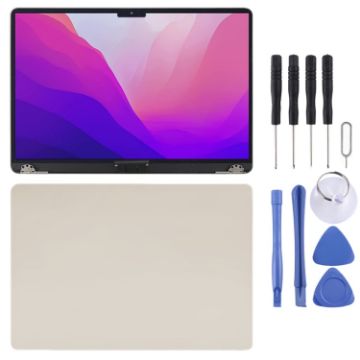
For MacBook Air 13.6 inch A2681 2022 LCD Screen with Digitizer Full Assembly (Gold)
- Before Installation Notes
- Tips 1: Test before installation
- When testing, do not remove any protective film or tags. Please pay attention to the problem of static electricity.
- Before attempting any repair, be sure to ground yourself is an ESD (electro static discharge) strap. This will prevent static electricity from damaging the electronic components within the device.
- Ensure you wear eye protection and use caution not to cut your finger with the glass splinters.
- Tips 2: Simulates testing
- Screen replacement is very fragile product. We strongly suggest test before installation. Please simulates testing, which means device apart, (motherboard + LCD or screen) connected audio cable and new replacement, power on, test finished. If test OK, please install it. If it can not show, please contact us at the very first time. And please do not force it to be installed in device. We will not be responsible once the screen is installed.
- Tips 3: Do not over-bend cable
C$552.28 C$635.11
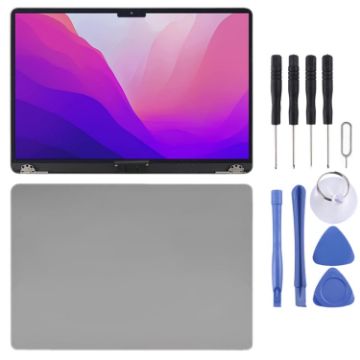
For MacBook Air 13.6 inch A2681 2022 LCD Screen with Digitizer Full Assembly (Grey)
- Before Installation Notes
- Tips 1: Test before installation
- When testing, do not remove any protective film or tags. Please pay attention to the problem of static electricity.
- Before attempting any repair, be sure to ground yourself is an ESD (electro static discharge) strap. This will prevent static electricity from damaging the electronic components within the device.
- Ensure you wear eye protection and use caution not to cut your finger with the glass splinters.
- Tips 2: Simulates testing
- Screen replacement is very fragile product. We strongly suggest test before installation. Please simulates testing, which means device apart, (motherboard + LCD or screen) connected audio cable and new replacement, power on, test finished. If test OK, please install it. If it can not show, please contact us at the very first time. And please do not force it to be installed in device. We will not be responsible once the screen is installed.
- Tips 3: Do not over-bend cable
C$552.28 C$657.20
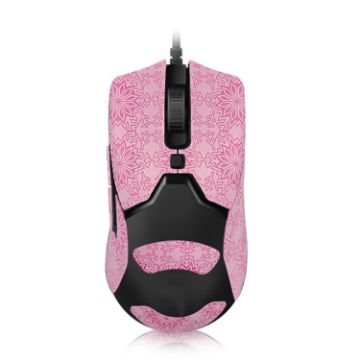
Snowflake Pattern Anti-slip Mouse Stickers For Razer Viper Mini Pink Full Surround
- Soft and comfortable, can absorb hand sweat, provide strong holding power
- Removable adhesive technology, easy to tear without leaving adhesive, easy to change
- Non-slip snowflake texture, lightweight and wear-resistant, comfortable hand feeling
- Solid color and wear-resistant, sweat-absorbent and non-slip
- Note: the shipment does not include the mouse in the picture
C$8.33 C$9.91
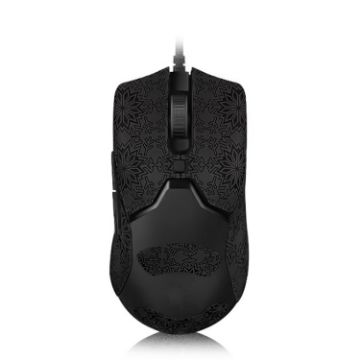
Snowflake Pattern Anti-slip Mouse Stickers For Razer Viper Mini Black Full Surround
- Soft and comfortable, can absorb hand sweat, provide strong holding power
- Removable adhesive technology, easy to tear without leaving adhesive, easy to change
- Non-slip snowflake texture, lightweight and wear-resistant, comfortable hand feeling
- Solid color and wear-resistant, sweat-absorbent and non-slip
- Note: the shipment does not include the mouse in the picture
C$8.46 C$9.98
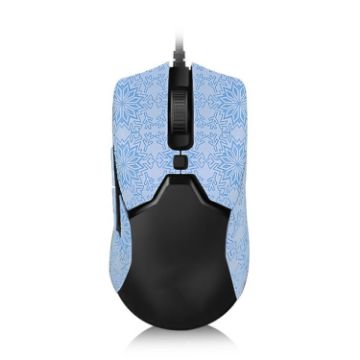
Snowflake Pattern Anti-slip Mouse Stickers For Razer Viper Mini Blue Half Surround
- Soft and comfortable, can absorb hand sweat, provide strong holding power
- Removable adhesive technology, easy to tear without leaving adhesive, easy to change
- Non-slip snowflake texture, lightweight and wear-resistant, comfortable hand feeling
- Solid color and wear-resistant, sweat-absorbent and non-slip
- Note: the shipment does not include the mouse in the picture
C$7.59 C$9.04
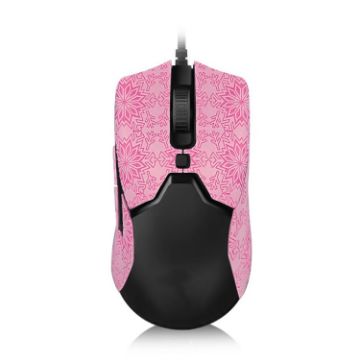
Snowflake Pattern Anti-slip Mouse Stickers For Razer Viper Mini Pink Half Surround
- Soft and comfortable, can absorb hand sweat, provide strong holding power
- Removable adhesive technology, easy to tear without leaving adhesive, easy to change
- Non-slip snowflake texture, lightweight and wear-resistant, comfortable hand feeling
- Solid color and wear-resistant, sweat-absorbent and non-slip
- Note: the shipment does not include the mouse in the picture
C$7.59 C$9.49

NEED HELP?
Payment options
